How to run the morning FEFO walk in a grocery store
A practical opening-shift routine for near-expiry products: a short list built the night before, one walk, one recorded action per item, and what to do offline.
- FEFO
- near-expiry products
- morning routine
- store operations
Why “check everything every morning” fails
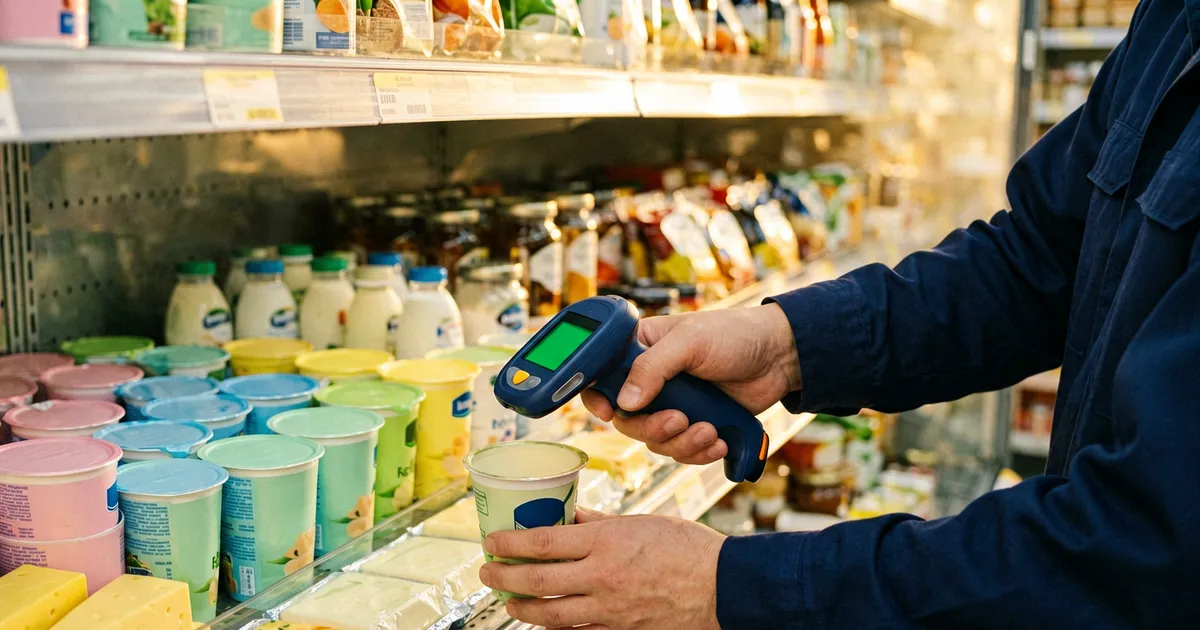
Most near-expiry routines start with a good intention: someone walks the whole store, reads every date and writes down what is close. Within a few weeks it falls apart. A store carries thousands of items and most of them are nowhere near their date. The person walking spends the opening hour reading labels that need no action, gets pulled to a delivery or a till, and the walk ends at the dairy wall. The notebook, if there is one, is read by nobody.
The waste behind this is real. Eurostat puts EU food waste in 2024 at around 58 million tonnes of fresh mass, or around 129 kg per inhabitant. Retail and other distribution of food come in below 5 million tonnes: 8% of the total, or 10 kg per person. Stores are not the largest source, but they are the part a store manager and a chain can change on an ordinary Monday.
FEFO means first expired, first out. On the shop floor it is a simple discipline: the product with the nearest date moves first. It goes to the front of the shelf, and it is sold through or marked down before a later date of the same item is touched. FIFO follows the order of delivery. FEFO follows the dates, and the two can disagree: a late delivery may carry an earlier date than the stock already on the shelf.
The fix is to stop searching and start working a list. The searching happens once, when a date is recorded. The morning is for action.
What should already be true the night before
The walk is only as good as the data behind it. Before the shift ends, three things need to hold.
- Nearest dates are current. The nearest date is entered once per product, by scanning the barcode with a phone camera or a handheld terminal, and updated only when someone finds an earlier date on the shelf. If the pack shows a production date rather than a best-before date, the shelf life is added to get the real date.
- The evening run has built tomorrow’s list. In the Freshto model, an evening run takes the recorded dates and builds the next day’s task list, so the person opening the store does not have to decide what to look at.
- Closed days are accounted for. Store calendars matter here. If a check falls on a day the store is closed, it moves forward, and the evening run builds the list for the next day the store is open.
The result is a short list of what needs action that day. Short is the point. A list that fits into the first part of the shift gets done. A list that needs the whole morning gets skipped.
How to walk
Keep the walk boring and repeatable.
- Start at opening. Do it before the first rush, while the shelves are calm and the person is not yet needed elsewhere.
- Walk in aisle order. Group the items by where they sit and finish one aisle before starting the next, so there is no backtracking and no wandering off to “just check” a category.
- One person picks up a task. Once an employee takes a task, it is theirs. Nobody else pulls the same product, and nobody assumes someone else did.
- Record one action per item. The options are few: sell through (nearest date moved to the front), markdown according to the written rule, pull from sale, or mark as not found.
- Do not keep a second list. If a clipboard or a pocket notebook appears next to the official list, the official list will slowly die. Anything worth doing belongs on the list.
Two details deserve a line each. First, “not found” is an answer, not a failure. The product may have sold out, moved to another place, or never arrived. Recording it keeps the task closed and shows the office where the data and the shelf disagree. Second, the markdown follows the rule, not the mood of the person walking. How to write that rule is covered in two ways to set markdown rules for short-dated food.
One legal point belongs in every SOP. Under Regulation (EU) No 1169/2011, a “use by” date and a “best before” date are different things, and after the “use by” date a food is deemed unsafe (Article 24). A product past its “use by” date is pulled, never marked down. National enforcement can add store-level rules, so a chain should follow the law of its own country. This is not legal advice.
On labelling: printing markdown stickers on a Bluetooth label printer is planned, not available today. Until it ships, the store keeps using its current price-label process.
When there is no signal
Cold rooms, back stores and basements are where the signal drops, and they are also where a lot of near-date stock sits. The walk should not depend on a connection.
With Freshto, tasks and results are stored on the device. The employee finishes the walk, records each action as they go, and sends the results once the connection is back. Sending is a step someone does, not something that happens by itself: automatic background sync is planned, not available today. Build it into the routine as the last line of the walk: before leaving the building, or at the latest before the end of the shift, send the results.
What the office should look at after the walk
The walk is one half of the routine. The other half is a look at what happened.
The web dashboard and reports give the office a view of completion, unfulfilled tasks and the worst dates. A few questions are worth asking each day:
- Did every store finish its list, and if not, which ones are repeatedly behind?
- Which tasks stay open from day to day? A product that is never found or never actioned points to a data problem or a habit problem.
- Where are the worst dates concentrated? A pattern in one department usually says something about ordering or display, not about the people walking.
Keep the conversation about the process. The point of the report is to fix the list and the rule, not to catch a person.
A starter routine for a couple of stores
You do not need the whole chain to begin. Start in a couple of stores and keep the rollout small enough to watch.
- Pick one department first. Dairy or chilled ready meals work well, because dates are short and the effect shows quickly.
- Agree the rule on paper. Decide what happens at each date stage and who makes the call. Keep it to one page.
- Record nearest dates for a few days before judging the list. A list is only as good as the dates behind it.
- Run the walk at the same time every day, with the same person or a clear rota, and one owner per task.
- Review at the end of the first week. Look at completion and the open tasks, adjust the rule, then add a second department.
When the routine is stable in a couple of stores, extend it. The for-stores page describes the single-store view, and for-chains covers how a chain rolls the same routine out across locations. To see how the pieces fit, read the product overview, try the calculator with your own numbers, or look at the demo.
Questions and answers
Do we have to check every shelf every morning?
No. The nearest date is entered once per product and updated only when someone finds an earlier date on the shelf, so the morning list contains only the items that need action that day. The walk follows that list instead of a search of the whole store.
What if there is no signal in the cold room or the basement?
Tasks and results are stored on the device, so the walk can be finished offline. Staff send the results once the connection is back. Automatic background sync is planned, not available yet.
Who should work through the list?
One employee picks up a task, so two people do not pull the same product. Results are logged with the time and the employee.
Can the app print markdown stickers?
Printed markdown stickers on a Bluetooth label printer are planned, not available today. Until then the store follows its current price-label process.